

Help
How-to guides
Short walkthroughs with a screenshot for every step and a red box around what to click. Written for the person who sends the documents, not for the IT department.
Sending
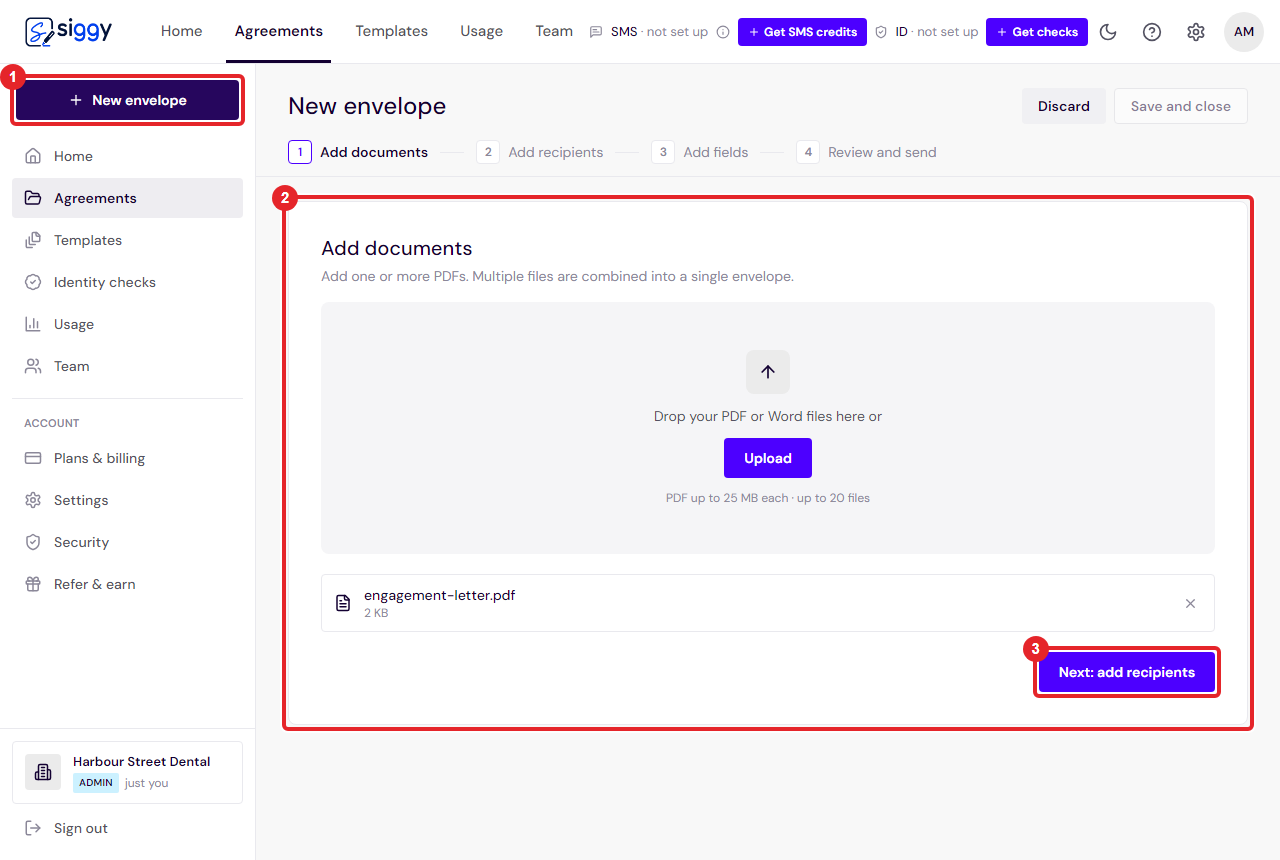
Send your first envelope
Upload a document, add the people who need to sign, place the signature boxes and send. About two minutes, start to finish.
Open the guide ›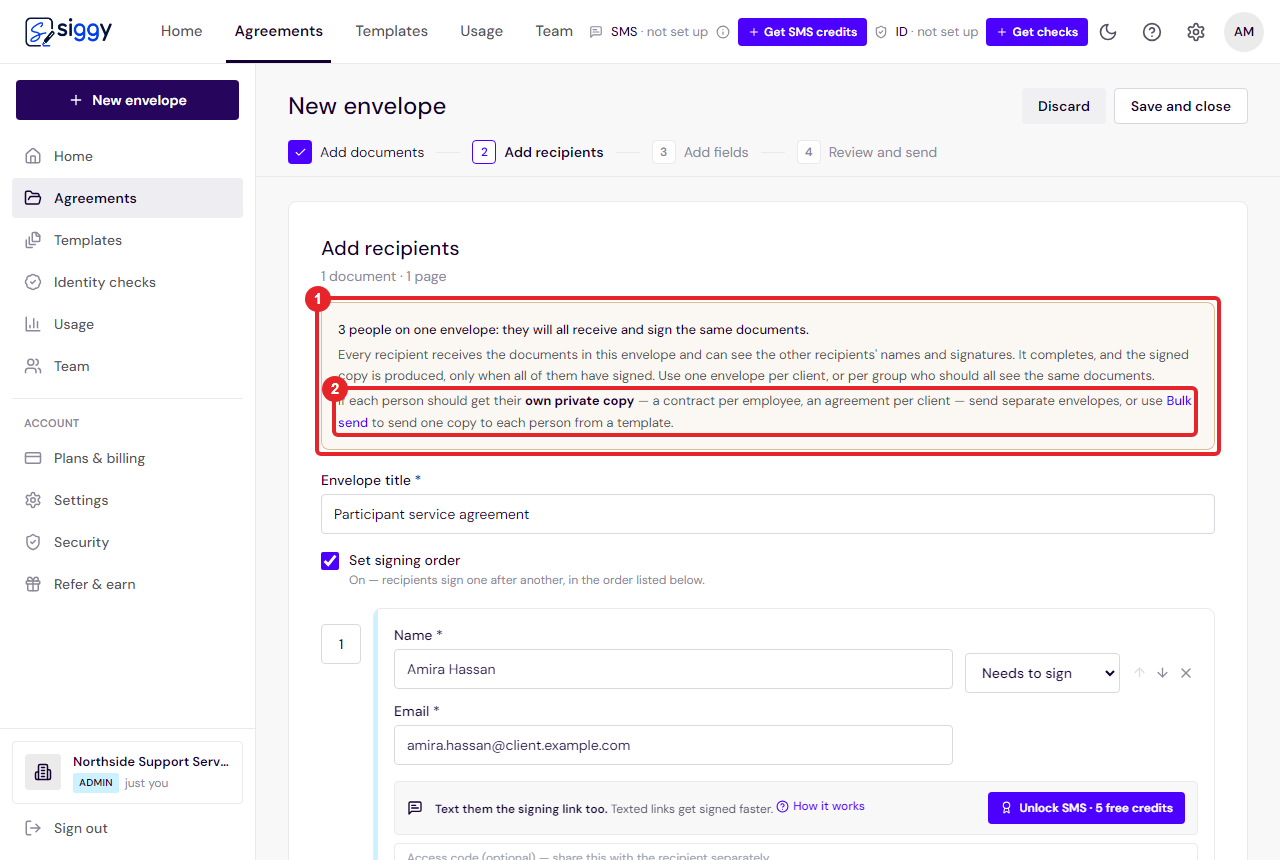
One envelope or many? Who should go on an envelope
An envelope goes to everyone on it with the same documents, and completes only when they have all signed. Here is how to decide, and what to use instead when each person needs their own copy.
Open the guide ›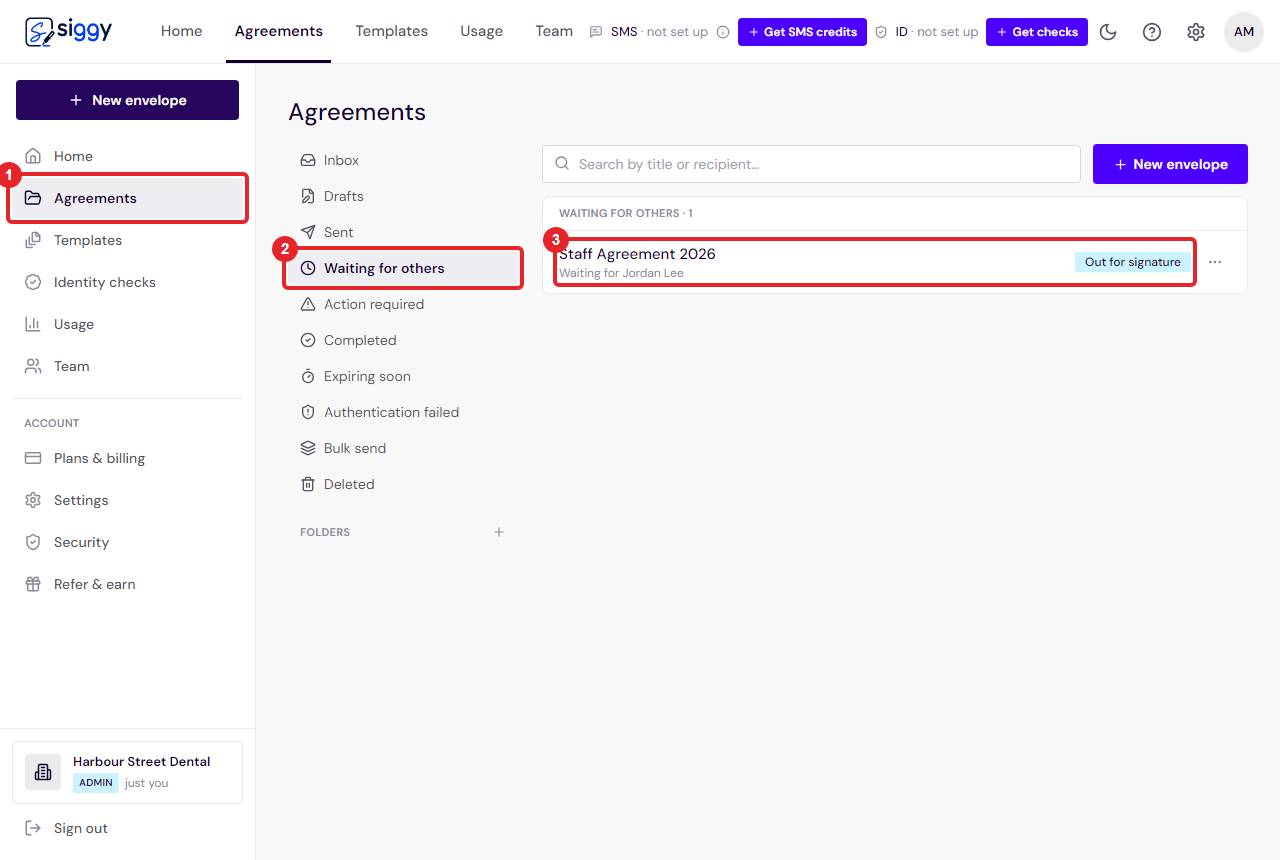
Finish an envelope when someone will not sign
An envelope only produces the signed copy once everyone has signed. If one person is never going to, remove them and it completes with the signatures it already has.
Open the guide ›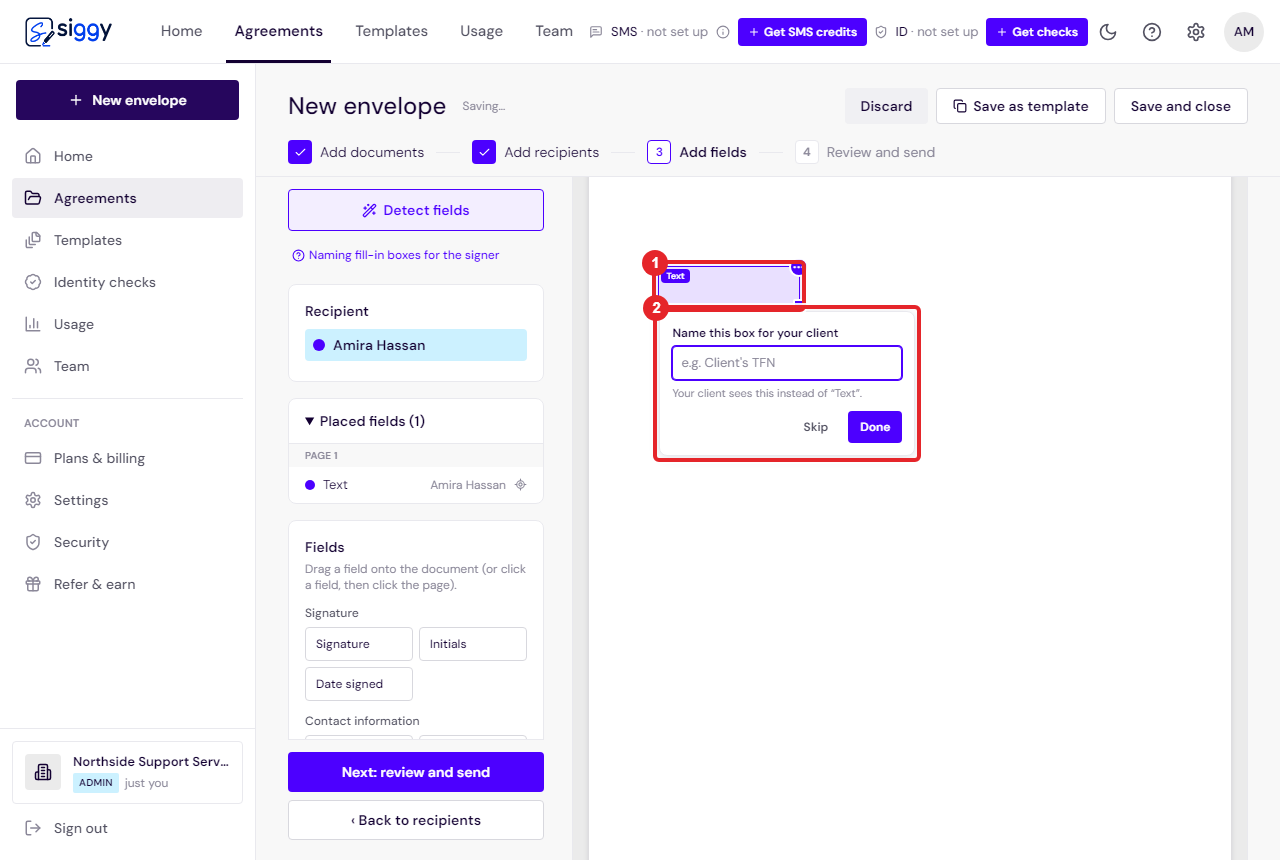
Custom fields: collect the details you need as they sign
Place a text box on the document, name it in your own words, and the signer is asked for exactly that. The answer lands in the signed PDF.
Open the guide ›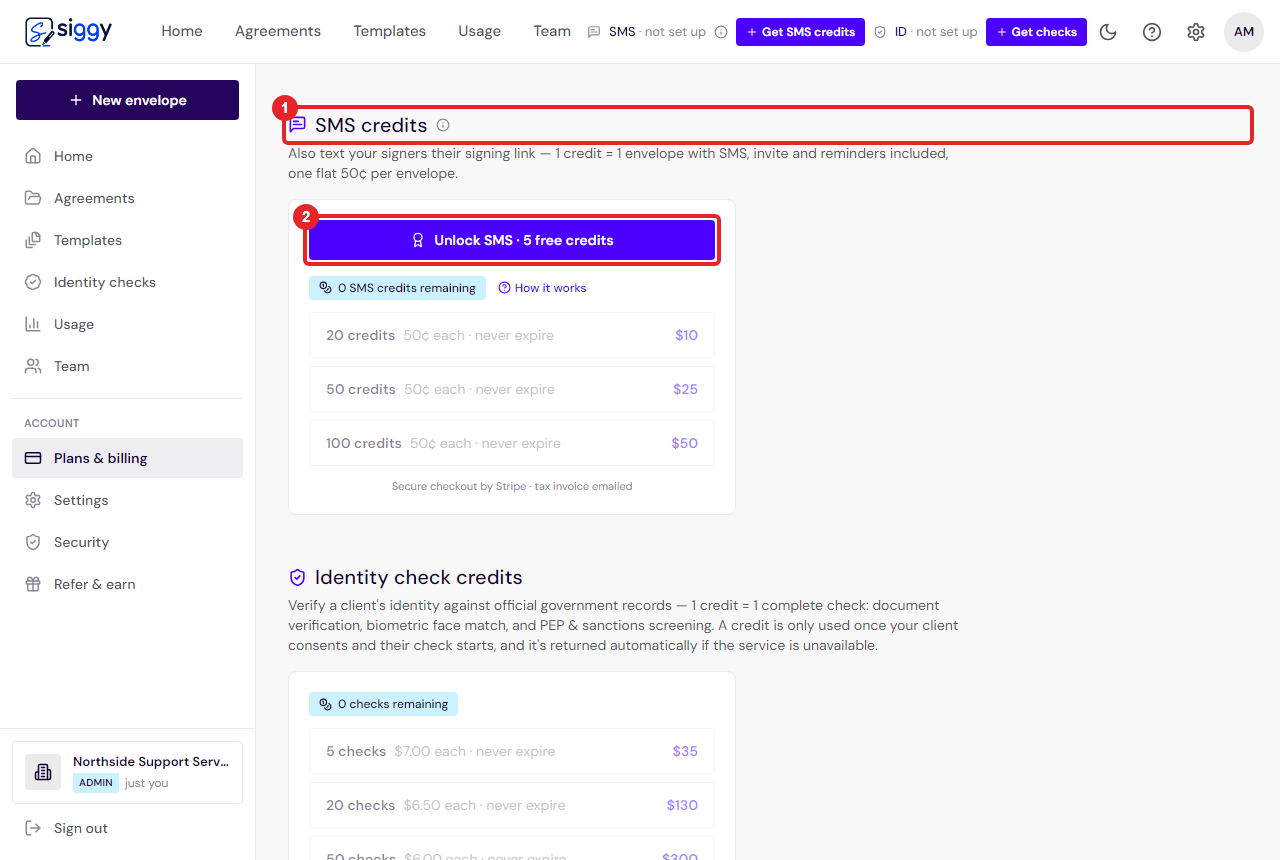
Text your signers their signing link
Add a mobile number and Siggy texts the signing link as well as emailing it, with reminders by text too. What it costs, how to top up, and what arrives on the phone.
Open the guide ›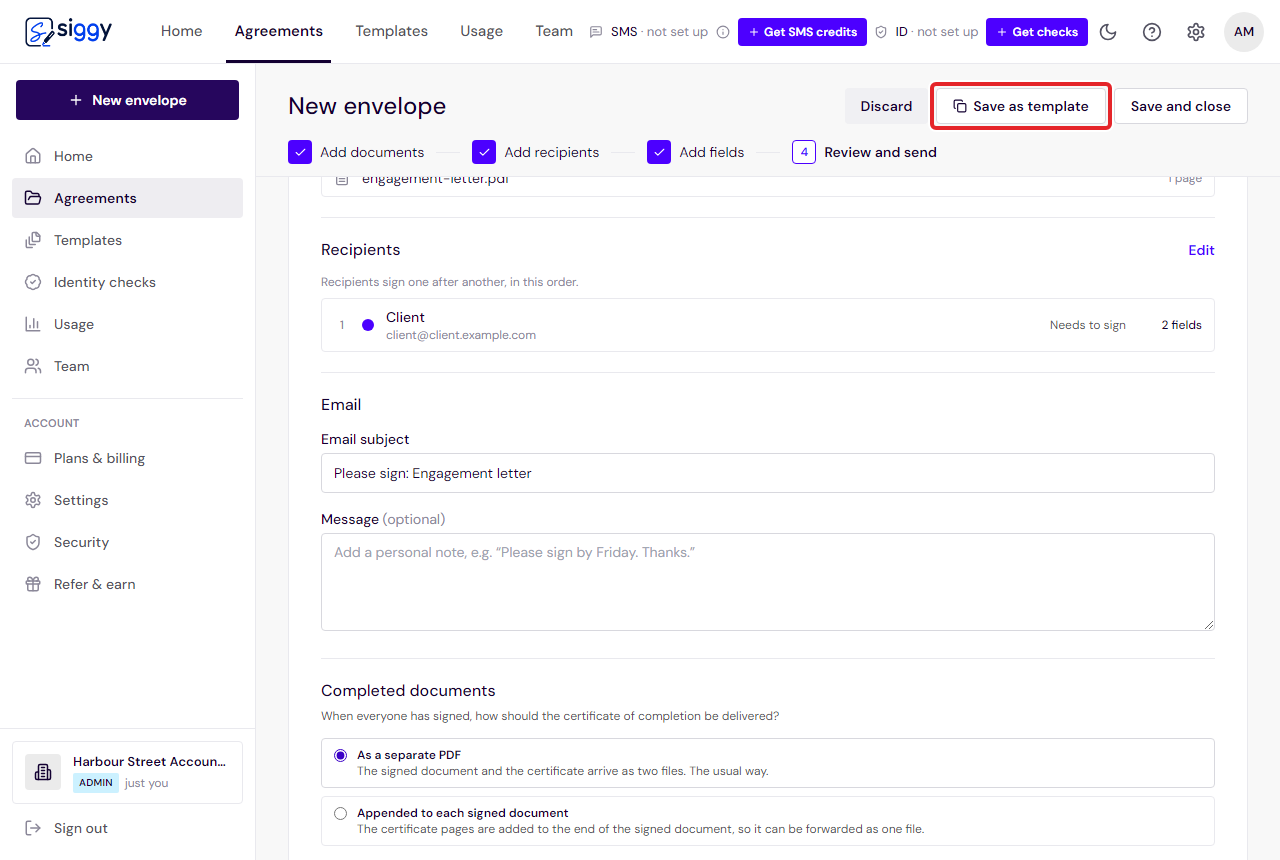
Stuck on something that is not here? [email protected]. A human reads it, and if the answer would help others it becomes a guide.