

The most common mix-up we see: twenty employees are put on one envelope for the same contract. Fifteen sign, five never do, and nobody gets a signed copy, because the envelope is still waiting for the last five.
The rule is short. One envelope = one agreement between the people on it. If each person should have their own private copy, send each person their own envelope.
- 1
What an envelope is
- Everyone on an envelope receives the same documents.
- Each person can see the others' names and, once they sign, their signatures.
- The envelope completes, and the signed copy goes out, only when every signer has signed.
- Siggy says this on the recipients step as you add people. With three or more signers the note turns amber so you pause and check.
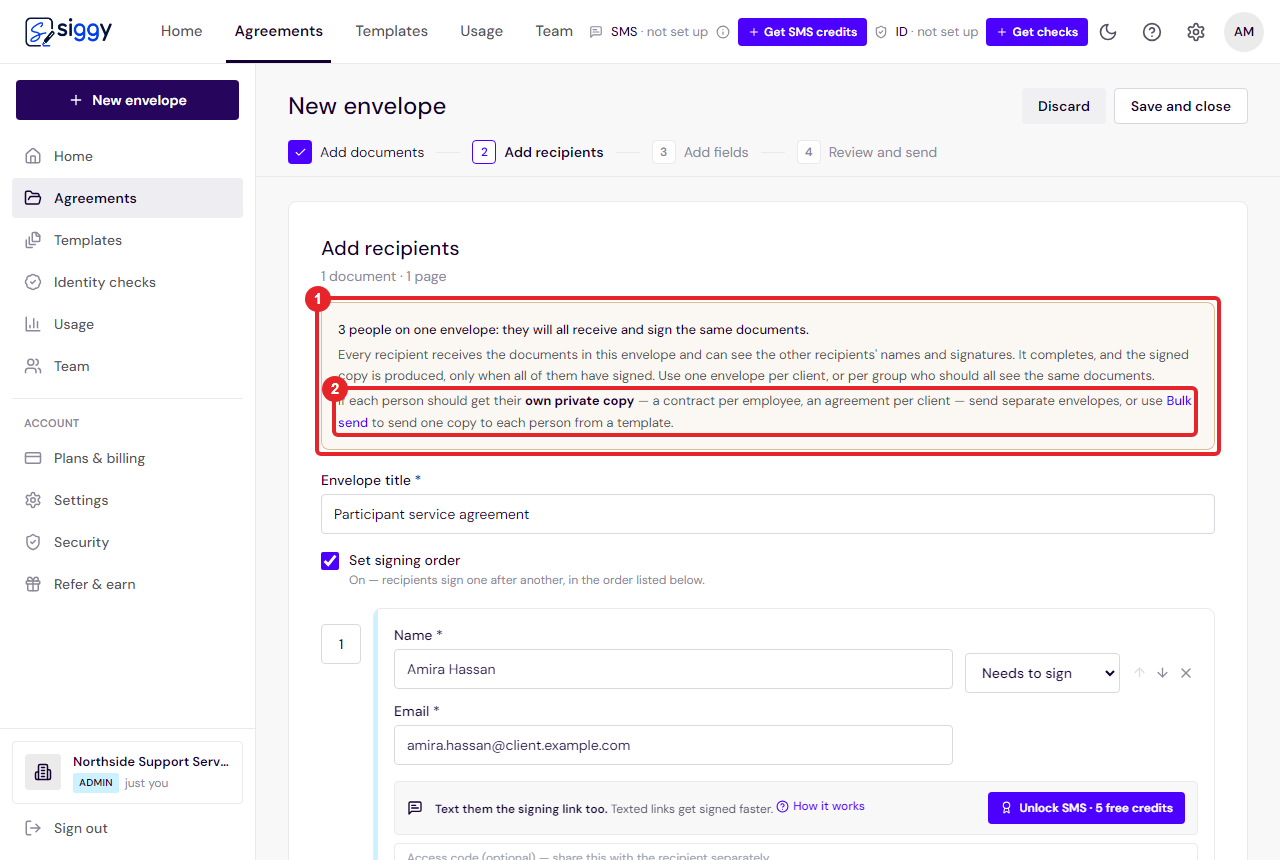
1The note2Bulk send link - 2
Use one envelope when
- Two or three parties sign the same agreement: a client and your practice, a landlord and two tenants, a participant and their guardian.
- A group should all see one another's signatures on one document, such as a board resolution.
- 3
Use one envelope per person when
- Each person signs their own contract, consent form or agreement, even if the wording is identical.
- You do not want person A to see person B's name on the document.
- You want each one to complete, and be emailed back, the moment that person signs.
- The fast way to do this is Bulk send from a template: paste a list of names and emails, and Siggy creates one envelope per line.
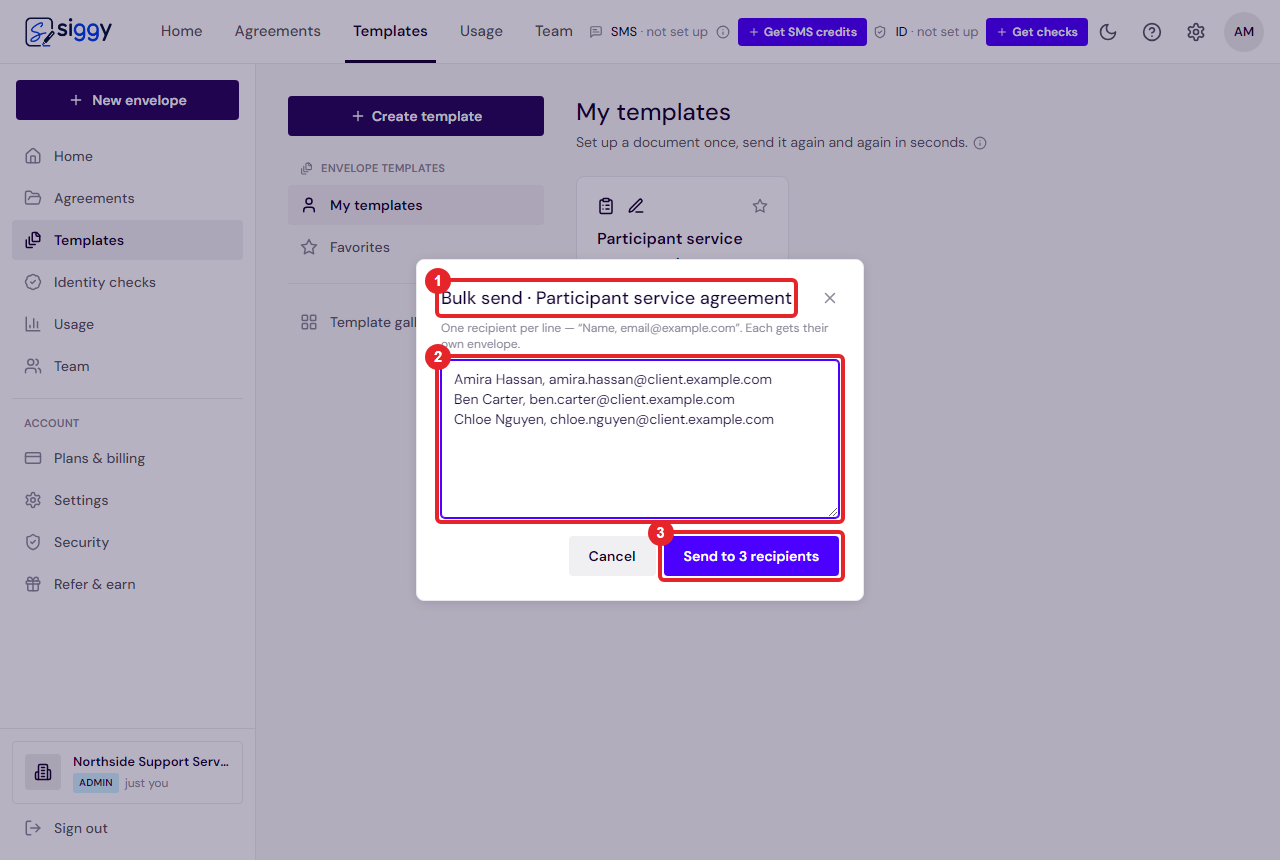
1Bulk send on the template2One person per line3Send - 4
If you have already sent one envelope to many people
- You do not have to start again. Open the envelope, choose Correct, and remove the people who are not going to sign. It completes with the signatures it already has.
- The step-by-step is in Finish an envelope when someone will not sign.
Good to know
- Bulk send is on Professional and above. On other plans, send from the template once per person; it takes about fifteen seconds each.
- A copy recipient receives the finished document but does not sign and does not hold the envelope up.
Related guides
Finish an envelope when someone will not sign
An envelope only produces the signed copy once everyone has signed. If one person is never going to, remove them and it completes with the signatures it already has.
Open the guide ›Templates: set up once, send in seconds
Save a document with its fields as a template, send it to a new client with just a name and email, and edit the wording of your templates right inside Siggy.
Open the guide ›Send your first envelope
Upload a document, add the people who need to sign, place the signature boxes and send. About two minutes, start to finish.
Open the guide ›Still stuck? Email [email protected] with the envelope's title and we will sort it with you.